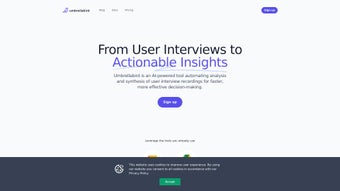

Download Umbrellabird – AI‑Powered Product Documentation Tool
Overview
Umbrellabird is a web‑based AI writing assistant built specifically for product teams that need to turn raw user‑interview recordings into polished product documentation in seconds. By connecting directly to Google Meet and Google Drive, the platform captures meeting audio, creates an accurate transcription, and then uses natural‑language processing to extract key insights such as user pains, desired outcomes, and emerging themes. The resulting content can be combined into one‑page briefs, feature spec drafts, or any other format that stakeholders require.
What sets Umbrellabird apart is its speed: a 45‑minute interview can be transformed into a concise, actionable document in under a minute, freeing product managers, designers, and analysts to focus on strategy rather than manual note‑taking. While the tool shines in automation and seamless integration with existing Google Workspace tools, it does have a few constraints—most notably the lack of offline mode and limited support for languages beyond English. Nevertheless, for teams that already live inside the Google ecosystem, Umbrellabird offers a practical, secure, and scalable way to streamline the documentation pipeline, reduce turnaround time, and keep insights fresh and searchable across projects.
Key Features
- Automatic Transcription: Real‑time, high‑accuracy transcription of Google Meet recordings.
- Insight Extraction: AI identifies user pains, goals, and feature requests without manual tagging.
- Summary Generation: Generates concise executive summaries and one‑page briefs instantly.
- Multi‑Source Drafting: Combine transcripts, Google Docs, and Slack excerpts into a single draft.
- Google Workspace Integration: Direct sync with Google Drive for storage and sharing.
- Secure Cloud Processing: All data is encrypted in transit and at rest, complying with GDPR and SOC‑2.
- Version Control: Automatic versioning keeps a history of each generated document.
- Collaboration Ready: Share drafts with teammates for comment‑based review without leaving the platform.
- Custom Templates: Save and reuse templates for product briefs, PRDs, and roadmaps.
- Rapid Export: Export to PDF, DOCX, or Markdown with a single click.
Installation, Usage & Compatibility
Getting started with Umbrellabird is straightforward because the service lives entirely in the browser. Simply visit the official website, click the “Get Started for Free” button, and sign in with your Google account. The OAuth flow grants the app permission to read your Google Meet recordings and access files in Google Drive. No download or local installation is required, making it compatible with any modern operating system that can run Chrome, Edge, or Firefox.
Supported platforms: Windows 10/11, macOS 12+, Linux (any distribution with a supported browser), Chrome OS, iOS Safari (limited to web view), Android Chrome (web view only).
Step‑by‑Step Workflow
- Connect Your Calendar: Link Google Calendar so Umbrellabird can auto‑detect upcoming Meet sessions.
- Record or Upload: After a meeting, the recording is automatically saved to a designated Drive folder.
- Generate Draft: Click “Create Document” next to the recording; the AI processes the audio, produces a transcript, and extracts insights.
- Review & Edit: The draft appears in the Umbrellabird editor where you can rearrange sections, add comments, or apply a custom template.
- Share & Export: Use the built‑in sharing options to invite collaborators or download the final document in your preferred format.
Pros and Cons
Pros
- Lightning‑fast document generation saves countless hours.
- Deep integration with Google Workspace eliminates manual file handling.
- AI‑driven insight extraction surfaces hidden user needs.
- Secure, GDPR‑compliant cloud processing.
- Free tier available for small teams; scalable pricing for enterprises.
Cons
- No offline mode—requires an internet connection.
- Limited to English; other languages receive lower accuracy.
- Relies on Google ecosystem; non‑Google users need workarounds.
- Advanced customization (e.g., custom AI models) is only in higher‑priced plans.
- Initial setup of OAuth permissions may be confusing for non‑technical users.
Conclusion & FAQ
Umbrellabird delivers exactly what its tagline promises: a fast, AI‑driven pathway from raw interview audio to actionable product documentation. For product teams that already operate within Google Workspace, the tool feels like a natural extension of existing workflows, turning what used to be a manual, error‑prone process into a few clicks. While the lack of offline support and multi‑language capabilities may deter some organizations, the core value proposition—speed, security, and integration—makes Umbrellabird a compelling addition to any product manager’s toolkit. If you’re looking to reduce documentation lag, keep insights fresh, and empower your team to focus on building rather than writing, give Umbrellabird a try today.
Start your free trial now and experience the transformation from interview to insight in seconds.
Frequently Asked Questions
Is Umbrellabird free to use?
Umbrellabird offers a free tier that includes up to 5 hours of transcription per month and basic document generation. Paid plans unlock unlimited usage, advanced templates, and priority support.
Can I use Umbrellabird with non‑Google video platforms?
Currently the native integration is limited to Google Meet. However, you can upload MP4 recordings from other platforms manually, and the AI will still process them.
How secure is my data?
All data is encrypted both in transit (TLS 1.3) and at rest (AES‑256). Umbrellabird complies with GDPR, SOC‑2, and does not store recordings longer than 30 days unless you explicitly save them.
Does Umbrellabird support languages other than English?
The transcription engine supports several major languages, but the AI insight extraction is optimized for English. Accuracy for other languages may vary, and future updates aim to improve multilingual support.
What browsers are compatible?
Umbrellabird works with the latest versions of Chrome, Edge, Firefox, and Safari. For the best experience, we recommend using Chrome or Edge on desktop.



.png)



